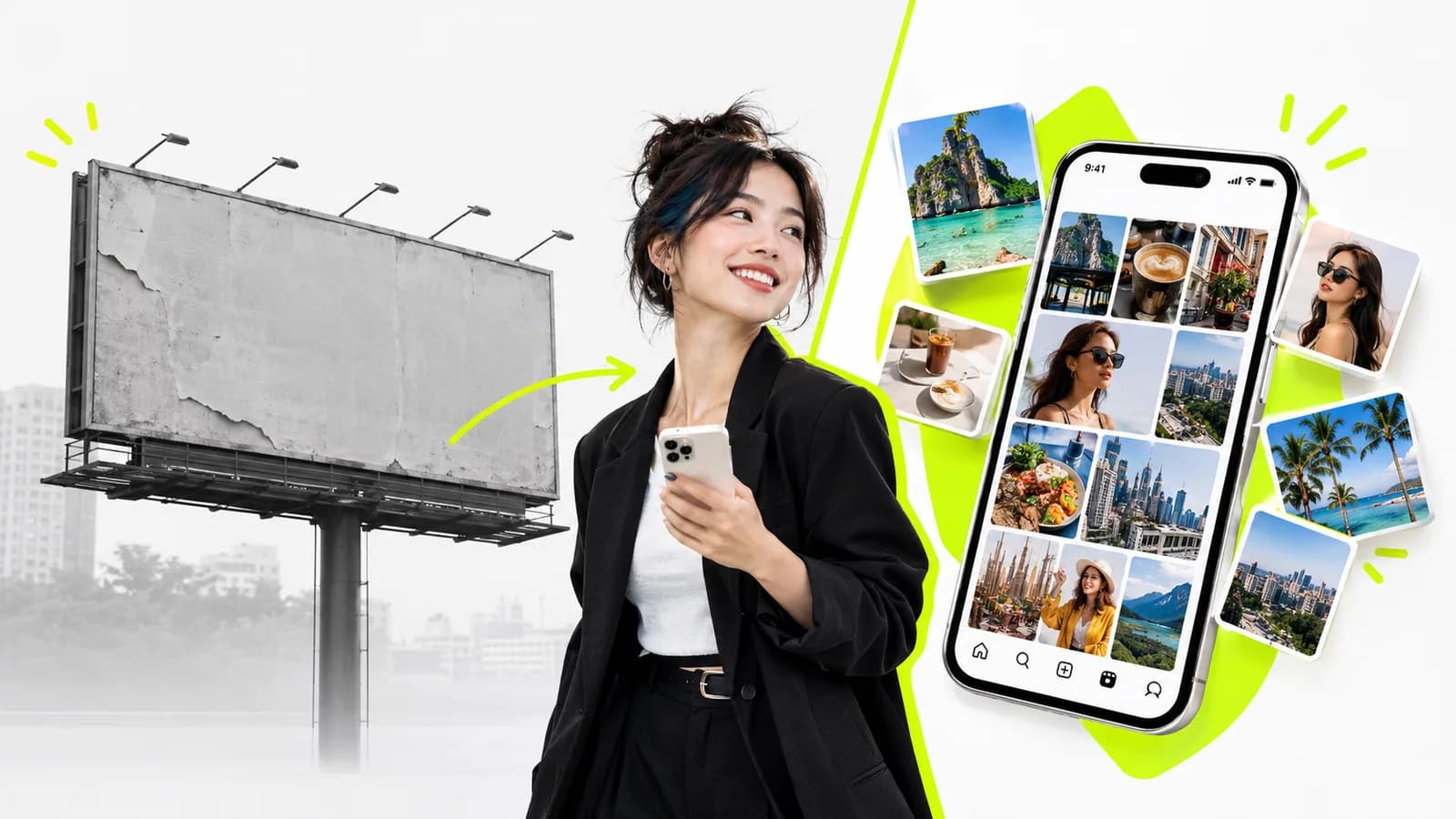
Instagram just fired a massive shot at third-party editing apps by quietly launching Instagram Edits Desktop. Creators can now edit multi-track timelines, export in 4K with zero watermarks, and publish natively from their browsers for free. But while this fixes your operational bottleneck, smart marketers are pairing this new speed with the Naise AI Social Audit to guarantee their faster output actually drives conversions.
Instagram Just Dropped Desktop Edits (And CapCut Should Panic)
Instagram Edits Desktop is a newly launched, native browser tool that allows creators to edit, trim, and post multi-track videos directly from their computers without needing third-party software.
The creator economy just got a massive workflow upgrade. For years, social media managers have been chained to a fragmented process. You edit on a desktop, bounce files to your phone, and finally wrestle with a mobile app to hit publish. It is annoying, tedious, and completely outdated.
Instagram finally noticed this friction. They just rolled out a native desktop editing suite, and it is a direct, unapologetic strike at established giants like CapCut. If you run an agency or manage a high-volume brand account, this quiet update changes your daily operations immediately.
Third-party tools have dominated the Marketing Tech Stack for short-form video. CapCut essentially built a monopoly by offering aggressive, trend-focused templates. However, that dominance has slowly crept behind the CapCut Pro paywall. Creators are now exhausted by monthly subscriptions just to access basic transitions or export clean files.
Instagram Edits Desktop arrives as the perfect antidote. It provides a free, clean, browser-based multi-track timeline. You get access to full 4K exports without a premium subscription, meaning your visual quality remains sharp from your camera straight to the feed. You no longer have to pay a toll just to remove an ugly watermark.
The End of the AirDrop Gymnastics
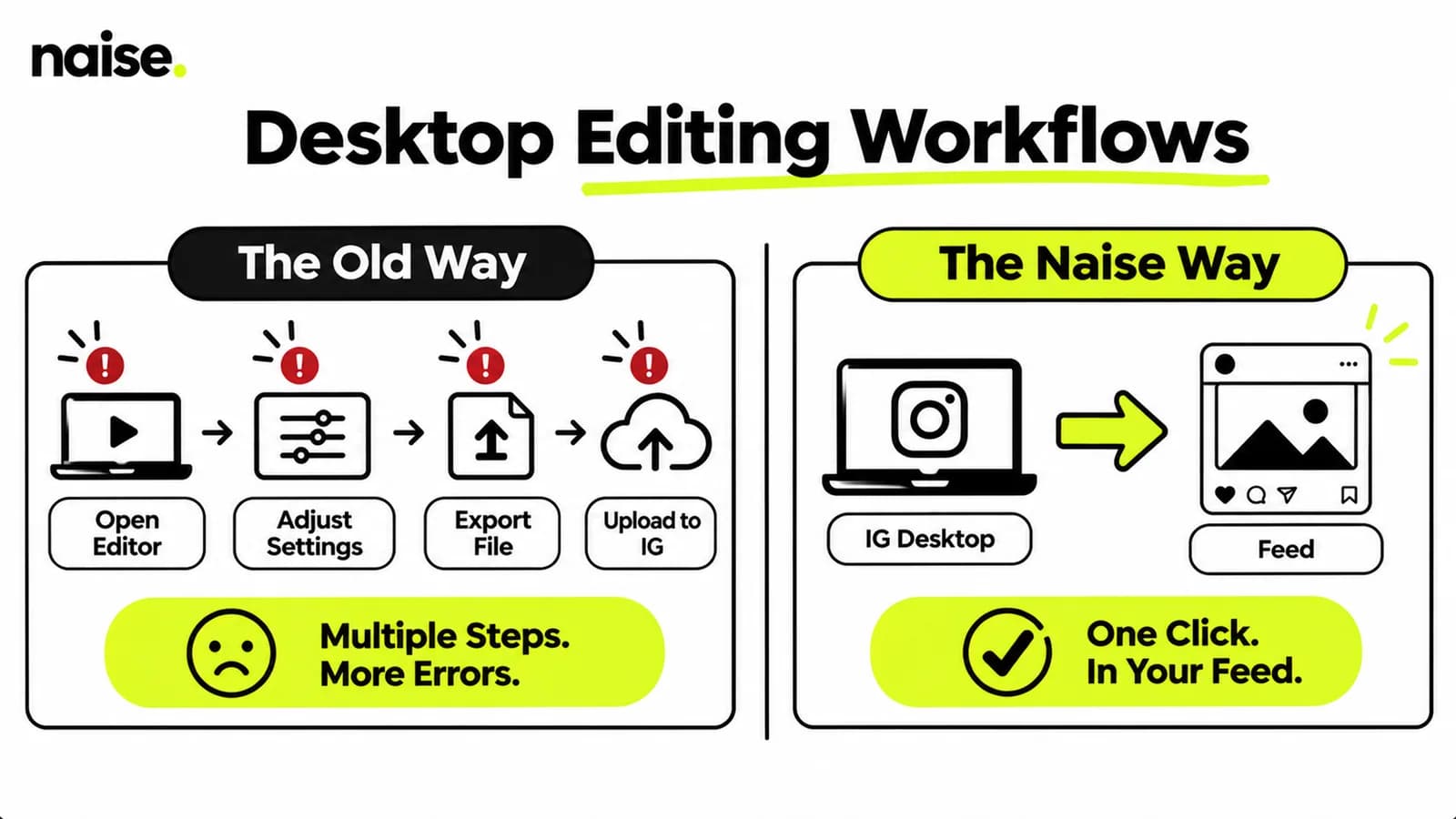
Users can bypass mobile devices entirely by exporting, captioning, and publishing high-resolution content natively through the new Instagram Edits Desktop interface.
The editing features are solid, but the distribution is where this tool actually shines. Picture the classic, painful publishing routine. You finish your edit on your laptop and try to wirelessly send a massive 4GB file to your phone. The transfer fails twice before your phone storage maxes out.
You delete three apps, retry the transfer, and then type out a highly strategic caption using your thumbs on a tiny glass screen. We call this the AirDrop gymnastics. It drains creative energy and introduces countless opportunities for typos. In fact, 47% of mobile professionals say sharing large files is a significant challenge, turning every video handoff into another moment of friction.
With the new native desktop integration, that friction disappears. You can snap your cuts to the beat using their royalty-free audio library right in the browser. When the video is done, you push it directly to the publishing window.
You can write your captions using a full keyboard. You can copy and paste your SEO-optimized hashtag blocks without switching screens. You can add location data, tag collaborators, and adjust your cover photo natively. It is a massive win for lean teams trying to clock out on time.
You Fixed the Editing Bottleneck. Now Fix the Strategy.
Faster editing workflows do not guarantee higher engagement, which is why modern marketers use automated auditing tools to align their new content formats with actual audience preferences.
So, the platform just solved your biggest operational headache. Your videos look crisp, your workflow is fast, and your team is no longer crying over failed file transfers. But here is the brutal truth about organic marketing. You can have the most beautifully edited, 4K video in the world, but if the hook is weak, it will still flop.
Efficiency is completely useless if it lacks effectiveness. When a new tool makes publishing easier, brands often fall into the trap of pumping out high volumes of content blindly. They ignore whether that content actually moves the needle for their business.
This is exactly where you need to pivot from chasing speed to chasing strategic depth. You need to know exactly which formats are driving your Engagement Rate. You need to uncover the specific topics your audience actually cares about. This level of deep analytical thinking used to require hours of manual spreadsheet tracking.
Audit Your Entire Brand in One Click
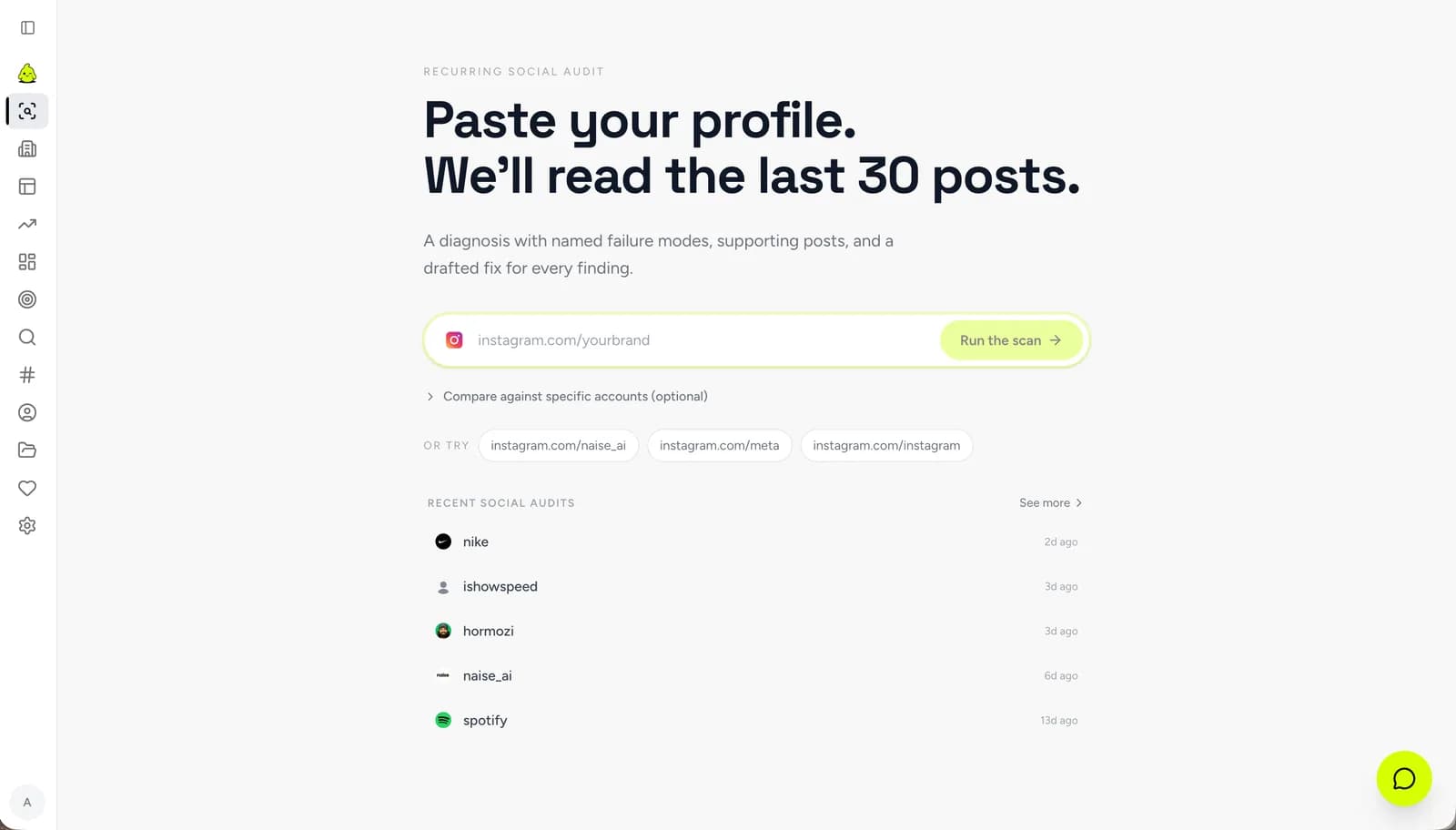
The Naise AI Social Audit scans a profile's last 30 posts to instantly grade performance across Content, Creative, Profile, Engagement, and Publishing pillars.
To stop guessing and start growing, you need an objective look at your feed. This is where the Social Audit feature inside Naise AI becomes your most valuable asset. Instead of staring at generic platform metrics, you simply drop your profile URL into the system.
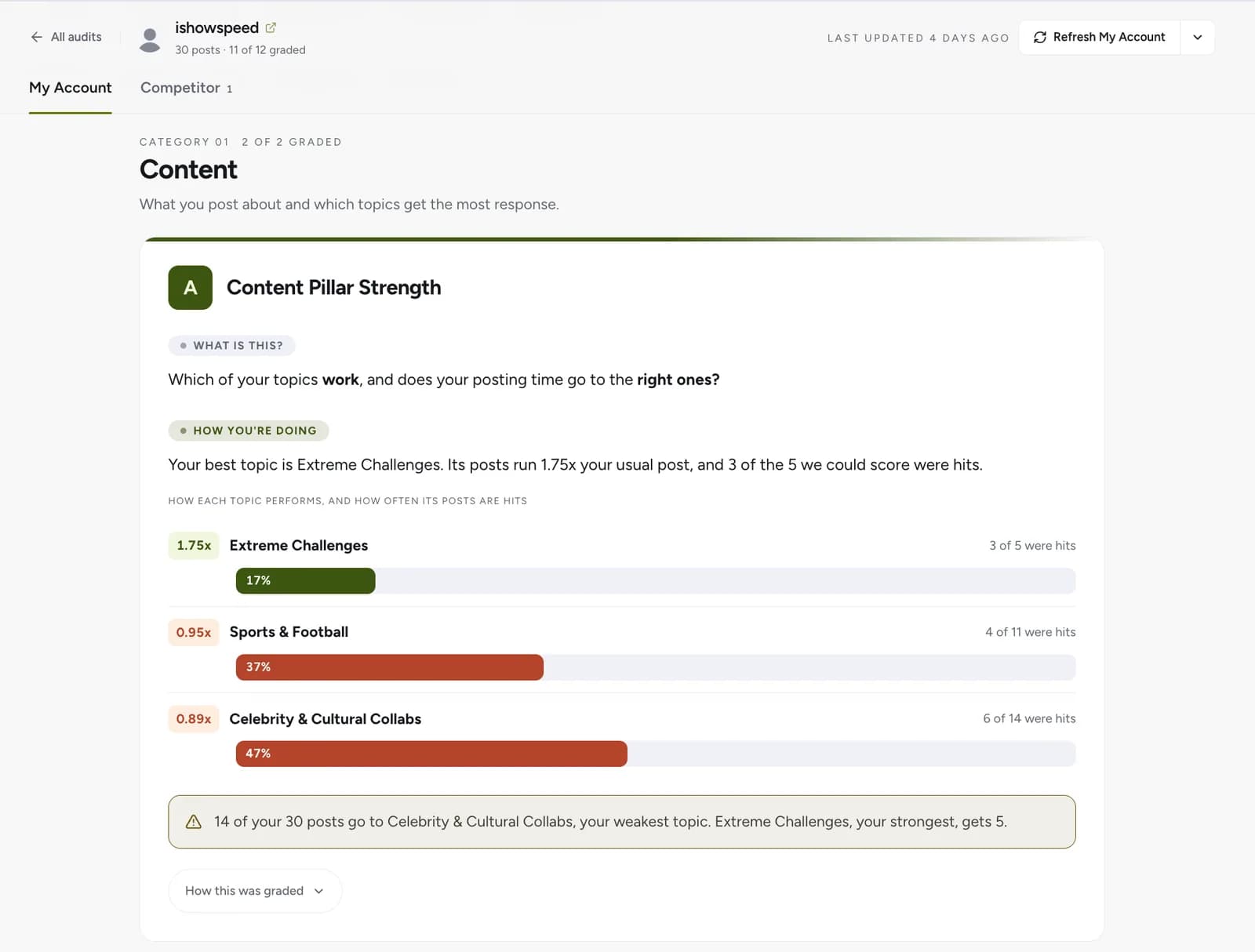
The tool instantly reads your recent posts and diagnoses your actual performance. It breaks down your strategy into five core pillars, starting with your Content Pillar Strength. It checks what topics you post about the most versus what actually gets a response. If you talk about product features constantly, but your audience only likes behind-the-scenes content, the audit flags that mismatch immediately.
Next, it evaluates your Format Fit. It tells you mathematically if you should be leaning harder into Reels or Carousels based on your specific audience behavior, because forcing the wrong format can sharply reduce visibility, with Instagram single image posts losing nearly 22% of reach year over year while engagement fell almost 46%.
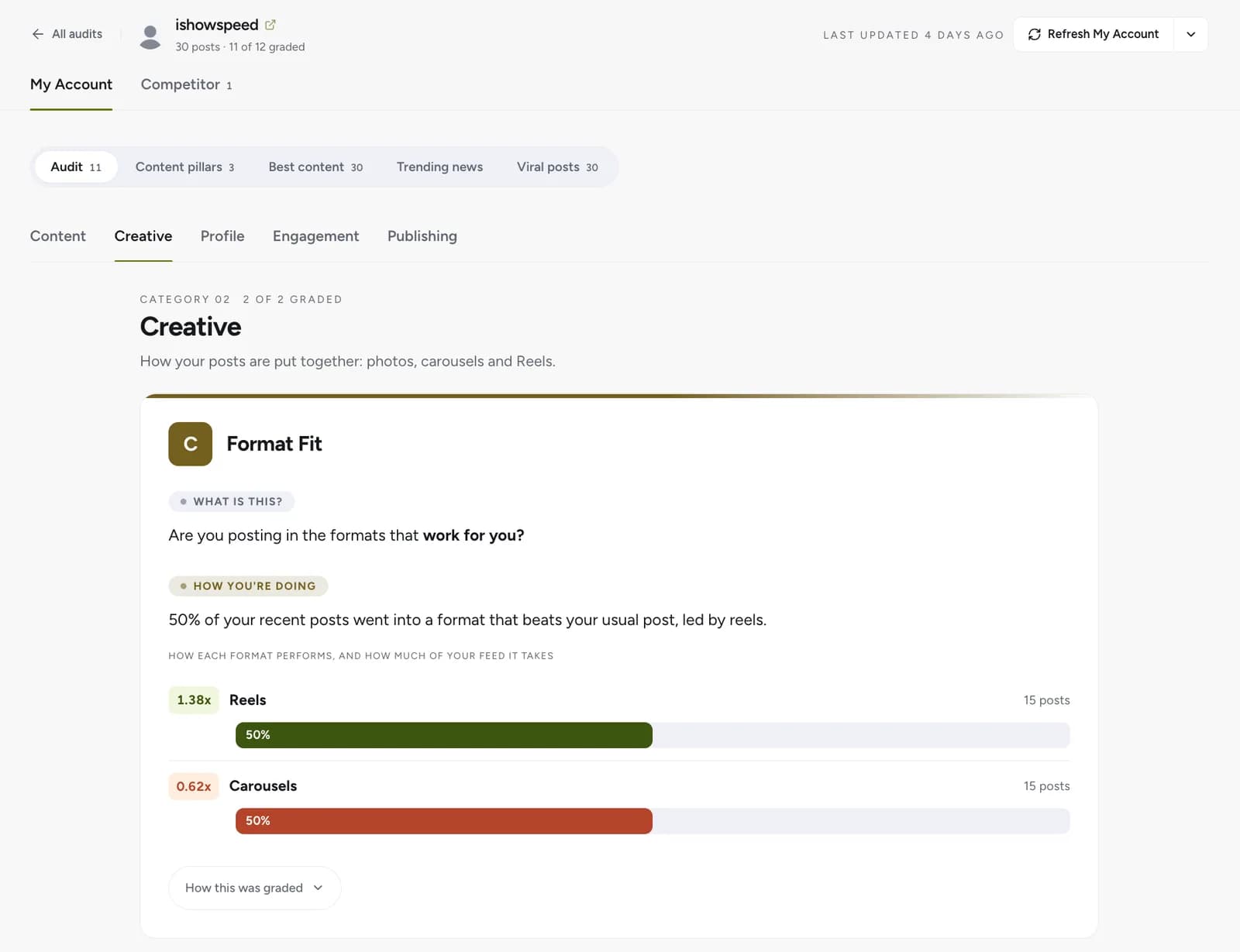
It even runs a head-to-head comparison against your competitors. It checks who has the stronger hook openings and who stops the scroll faster. It finds real-world trending news relevant to your strongest pillars, giving you immediate ideas for your next batch of videos.
From Raw Data to Autonomous Execution
By clicking "Build this strategy in chat," Naise AI transfers the audit context into the persistent memory of the Social Media Agent to automate content creation.
The biggest flaw with traditional marketing analytics is that they tell you what is broken, but leave you alone to fix it. This is where generic AI chat tools completely fail. Naise AI is a fully integrated ecosystem designed for execution.
When you review your audit results in the Dashboard, you can select a specific goal, like increasing viewer retention. Under the Recommendation tab, you simply click the button that says "Build this strategy in chat." You instantly transition from analyzing data to getting the work done.
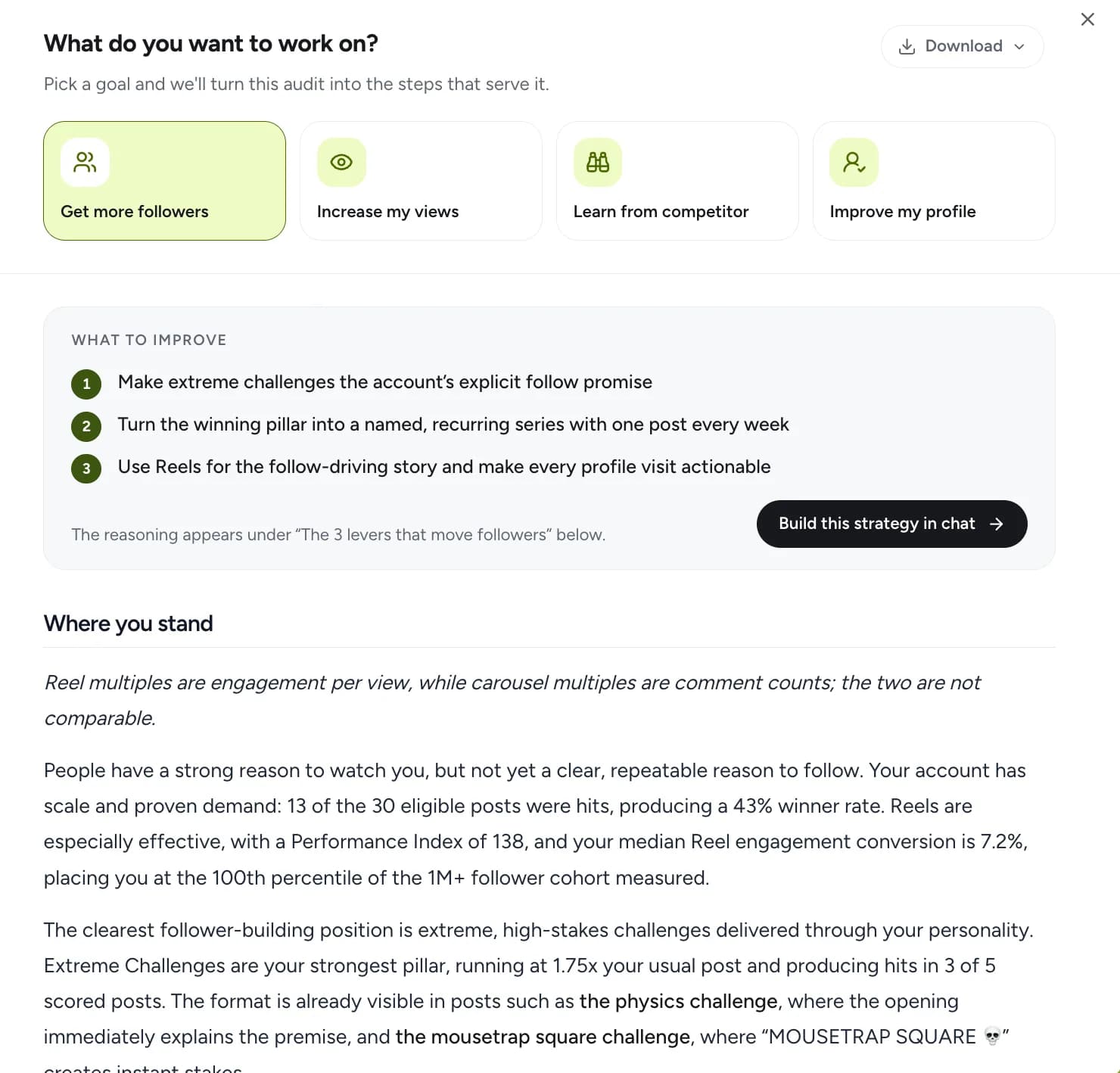
Your audit context is seamlessly handed over to your Social Media Agent. Because the platform uses persistent memory through Projects, the Agent already knows your brand voice, your visual guidelines, and your newly discovered content gaps.
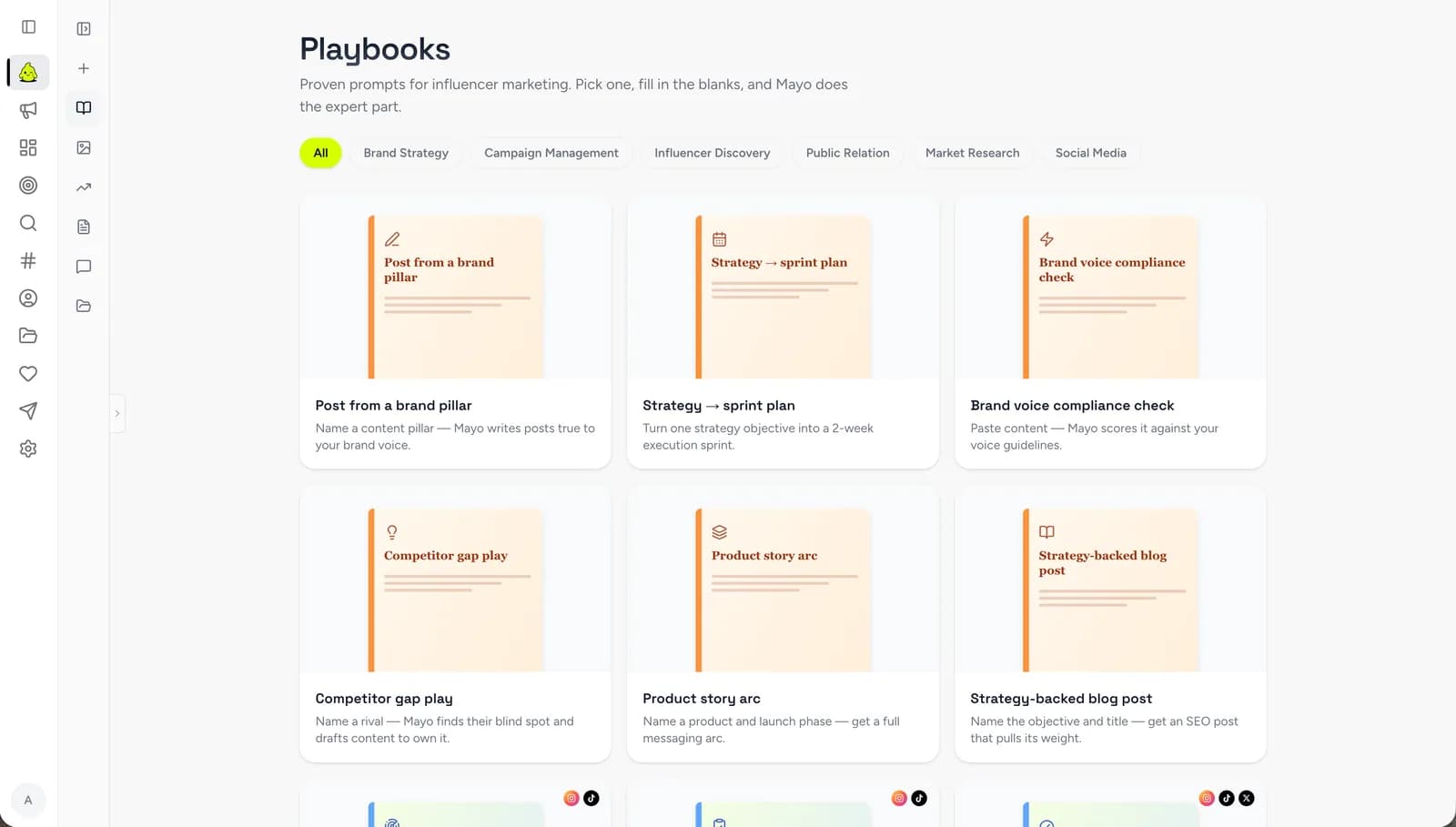
You do not need to write a massive, complex prompt to explain your business. You just select one of our pre-configured Playbooks, and the Agent gets to work. It will outline your new recurring video series, draft the captions, and even schedule the posts. You focus on the high-level strategy, and the machine handles the heavy lifting.
Conclusion
The organic marketing space is moving faster than ever. Features like Instagram Edits Desktop prove that native, frictionless workflows are the future of content creation. You no longer need to rely on expensive, fragmented third-party software just to string a video together.
But as the barrier to creating content drops, the barrier to capturing attention rises sharply. You have to be deeply strategic. You must know your data, and you must execute quickly without burning out your lean team.
Stop wasting hours trying to figure out why your views are flatlining. Let the machines do the math. Audit your current strategy, find your winning formats, and let an autonomous teammate help you build your next high-converting campaign. Clock out on time.
FAQs
What is the new Instagram Edits Desktop feature?
Instagram Edits Desktop is a native, browser-based video editing interface that allows users to cut clips, add multi-track audio, and export 4K videos directly to their Instagram feed without needing a mobile device.
Can you export 4K videos on Instagram Desktop for free?
Yes. The desktop editing tool allows for high-quality, 4K exports without applying any watermarks. It is completely free, making it a highly requested alternative to paid subscriptions like CapCut Pro.
How does the Naise AI Social Audit work?
The Naise AI Social Audit scans a public Instagram URL, analyzing the last 30 posts to grade the account on five core pillars: Content, Creative, Profile, Engagement, and Publishing. It instantly identifies content gaps and suggests strategic improvements.
How do I automate my social media strategy?
After running a Social Audit on Naise AI, you can click "Build this strategy in chat." This hands your data over to the Social Media Agent, which autonomously drafts captions, generates visual concepts, and schedules your optimized content based on the audit's findings.