The Reality of Agile in Marketing
Most marketing teams try to copy software developers when adopting agile frameworks. They build massive backlogs, hold daily standups, and then watch the whole system crash when a client demands five rounds of revisions. Marketing is inherently reactive and subjective. You cannot code an Instagram reel, and you certainly cannot force a trending PR crisis to wait for the next sprint planning meeting.
Successful agile marketing requires bending the rules to accommodate creative approvals, external clients, and real-time social trends.
To make agile marketing project management actually work, you have to ditch the textbook definitions. It is about building a system that absorbs chaos rather than breaking under it. Here is exactly how to structure your team for maximum output and zero burnout.
Scrum vs. Kanban: Stop Mixing Them Up
The biggest mistake marketing teams make is trying to force every single task into a two-week Scrum Sprint. Not everything belongs in a sprint. You need to segment your workflow based on the type of work being done.
Use Scrum for large, finite campaigns and Kanban for continuous, daily execution like social media management.
When to use Scrum: Reserve this for big, heavy-lift projects with a clear finish line. Think website redesigns, massive product launches, or quarterly brand campaigns. You lock in the scope, sprint for two weeks, and do not let any new requests interrupt the team.
When to use Kanban: This is a continuous flow model built for reactive work. Use Kanban boards for daily social media content, community management, and PR responses. Work is pulled from the backlog as capacity opens up, keeping the machine running smoothly.
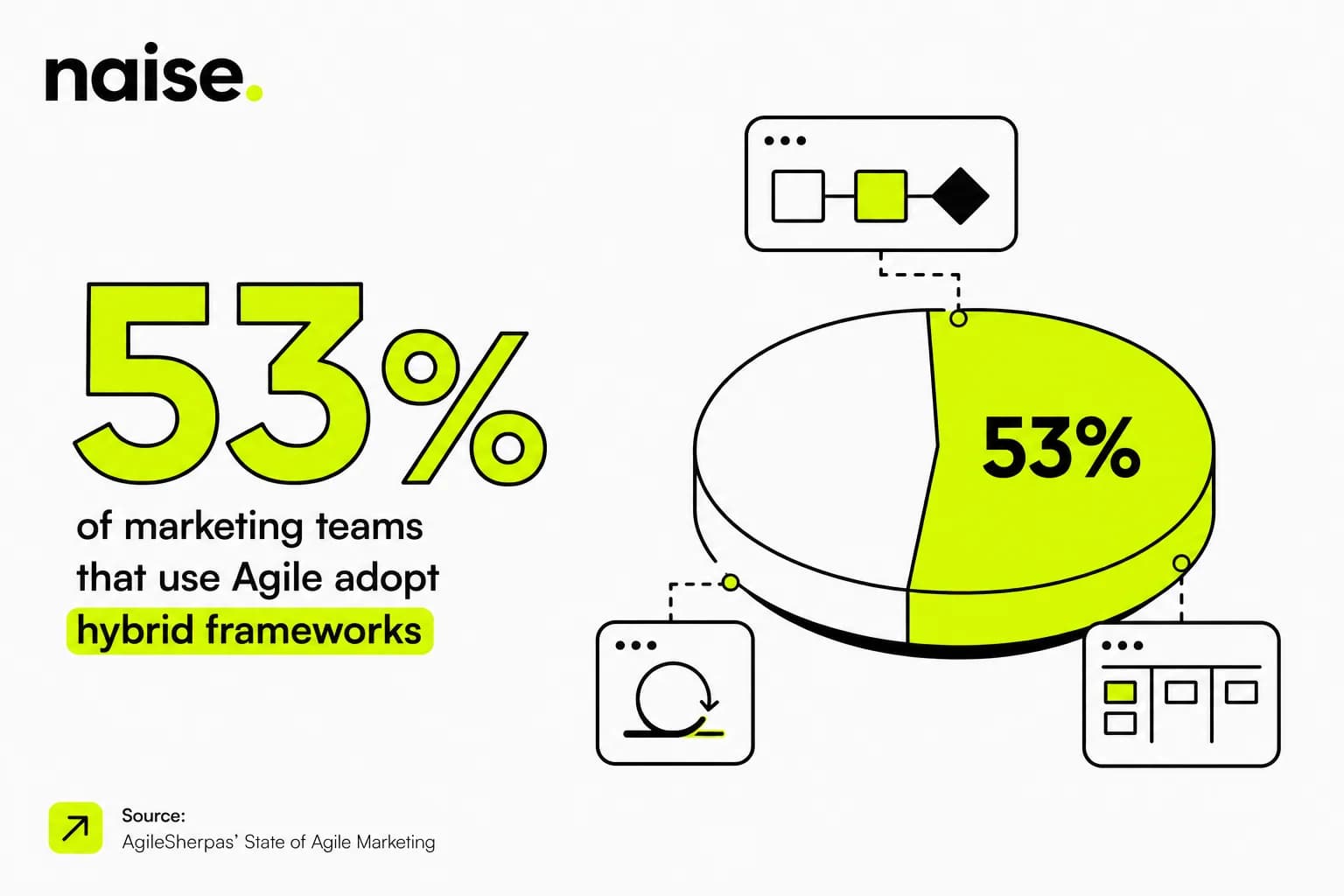
The Hybrid Approach: Most modern marketing teams run a hybrid. They use Scrum for the core campaign assets and a separate Kanban track for the daily reactionary posts.
Translating Tech Roles to Marketing Titles
If you tell a copywriter they are now a Scrum Master, they will likely ignore you. Tech terminology alienates creatives. You need to map these concepts to roles your team already understands.
Map agile titles to familiar marketing roles to ensure clear accountability and rapid adoption.
The Product Owner = The Marketing Strategist (or Director): This person owns the vision and the backlog. They decide what needs to be done and prioritize the tasks based on business goals.
The Scrum Master = The Campaign Manager (or Traffic Manager): This role is the ultimate blocker-remover. They do not dictate the strategy, but they ensure the team has the assets, briefs, and clear runway to execute the how.
The Development Team = The Creative Pod: Your copywriters, designers, and media buyers. They pull the work, estimate the time it takes, and actually build the campaign.
Solving the Approval Bottleneck
This is where marketing sprints go to die. A designer finishes an asset on Tuesday, but the client or legal team does not approve it until Friday. Your sprint is officially ruined.
Build strict approval SLAs (Service Level Agreements) and use asynchronous feedback loops to keep sprints on track.
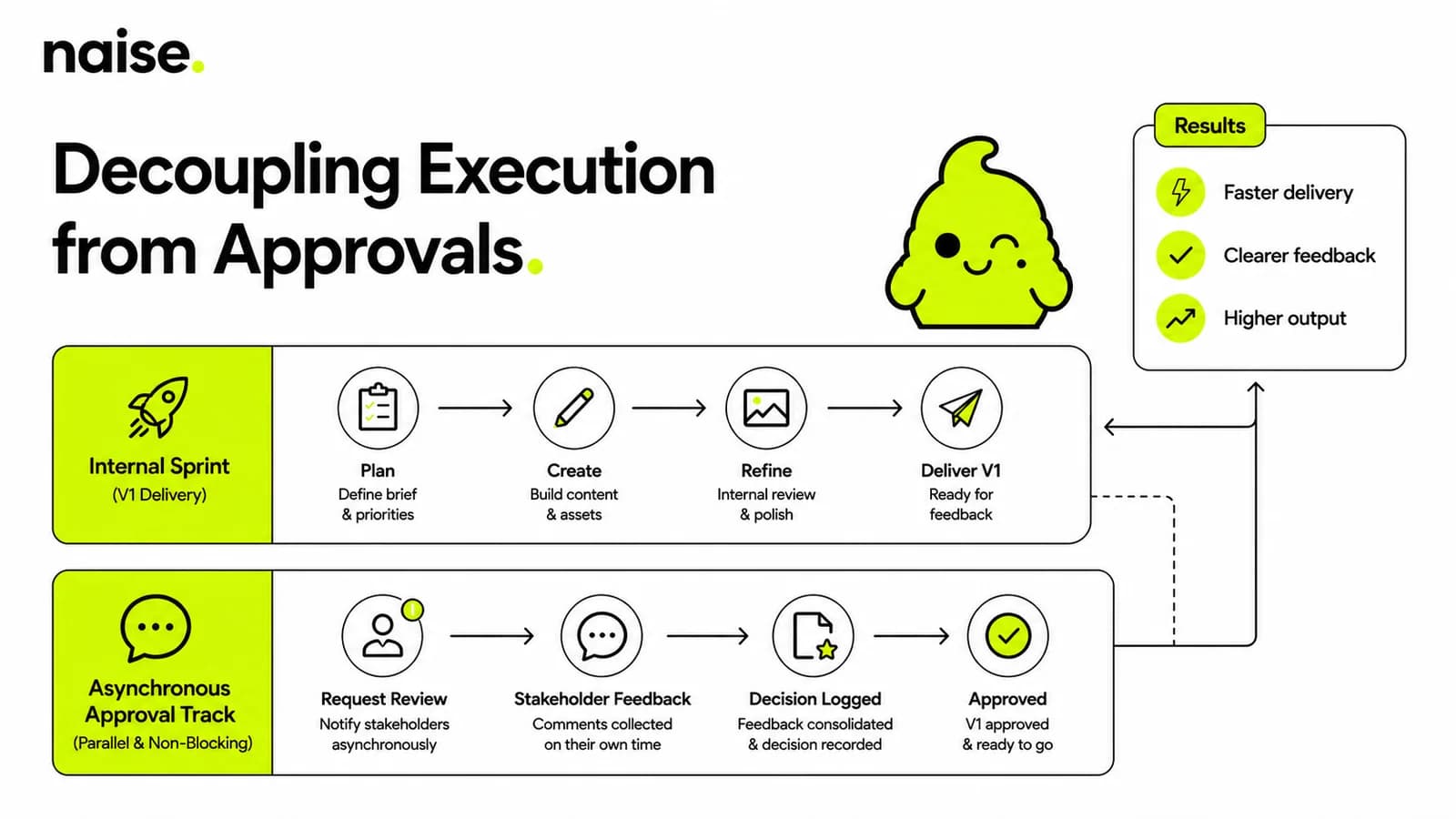
Decouple Execution from Approval: Never put "Client Approval" as a step inside your active two-week sprint. The sprint ends when the internal team delivers the finished V1. Approvals belong in a separate, asynchronous Kanban track.
Set Hard SLAs: Give external stakeholders a maximum 48-hour window to review. If they miss it, the asset automatically moves to the next batch.
Batch Your Reviews: Do not send one asset at a time. Group deliverables into logical batches so stakeholders can review the entire context at once, drastically reducing piecemeal revision requests.
Getting Specific with Your Tools
Vague advice about "managing a backlog" is useless without knowing how to click the buttons. You need to configure your everyday tools to enforce your new agile rules.
Configure tools like Asana, Trello, and Notion to automate handoffs and visually separate sprints from continuous work.
Setting up Asana: Create two distinct projects. One is a List View for your major Scrum campaigns with custom fields for "Sprint Week 1" and "Sprint Week 2." The other is a Board View (Kanban) strictly for daily social requests.
Mastering Trello: Use Trello for the approval bottleneck. Set up lists titled: Backlog, In Progress, Internal Review, Client Review, and Done. Use automation rules to ping a specific Slack channel whenever a card moves into Client Review.
Building in Notion: Use Notion databases to tie everything together. Link your highly detailed Content Briefs directly to the active sprint tickets so creatives never have to hunt for the brand guidelines.
Including the Outside World
Real projects involve external agencies, freelance designers, and demanding clients. If they are not looped into the agile process, your internal speed will not matter.
Give external partners restricted, single-view access to your boards to maintain transparency without exposing your messy internal drafts.
Treat freelancers as an extension of your Creative Pod. Assign them specific points or hours within your sprint capacity. For clients, build a clean, automated Dashboard view that only shows items in the Client Review or Done columns. This keeps them focused on the deliverables rather than micromanaging your work-in-progress.
Projects with high stakeholder engagement achieve a 70% success rate vs 32% for low engagement.
The Naise Workflow: Automating the Sprint
Even with perfect agile marketing project management, manual execution and constant context-switching will drain your team. You are still wasting hours re-explaining the brand voice to your writers or waiting for an agency to fix a tone issue.
Use Naise AI and its Projects feature to store your brand context permanently, eliminating revision loops and manual drafting.
Naise AI is your AI Teammate for Marketing. It handles the heavy lifting so your human team can focus on the high-level strategy. Instead of writing another brief, you can automate the execution phase of your sprint directly within the Naise Chat.
Here is how you execute a campaign faster using the Projects feature:
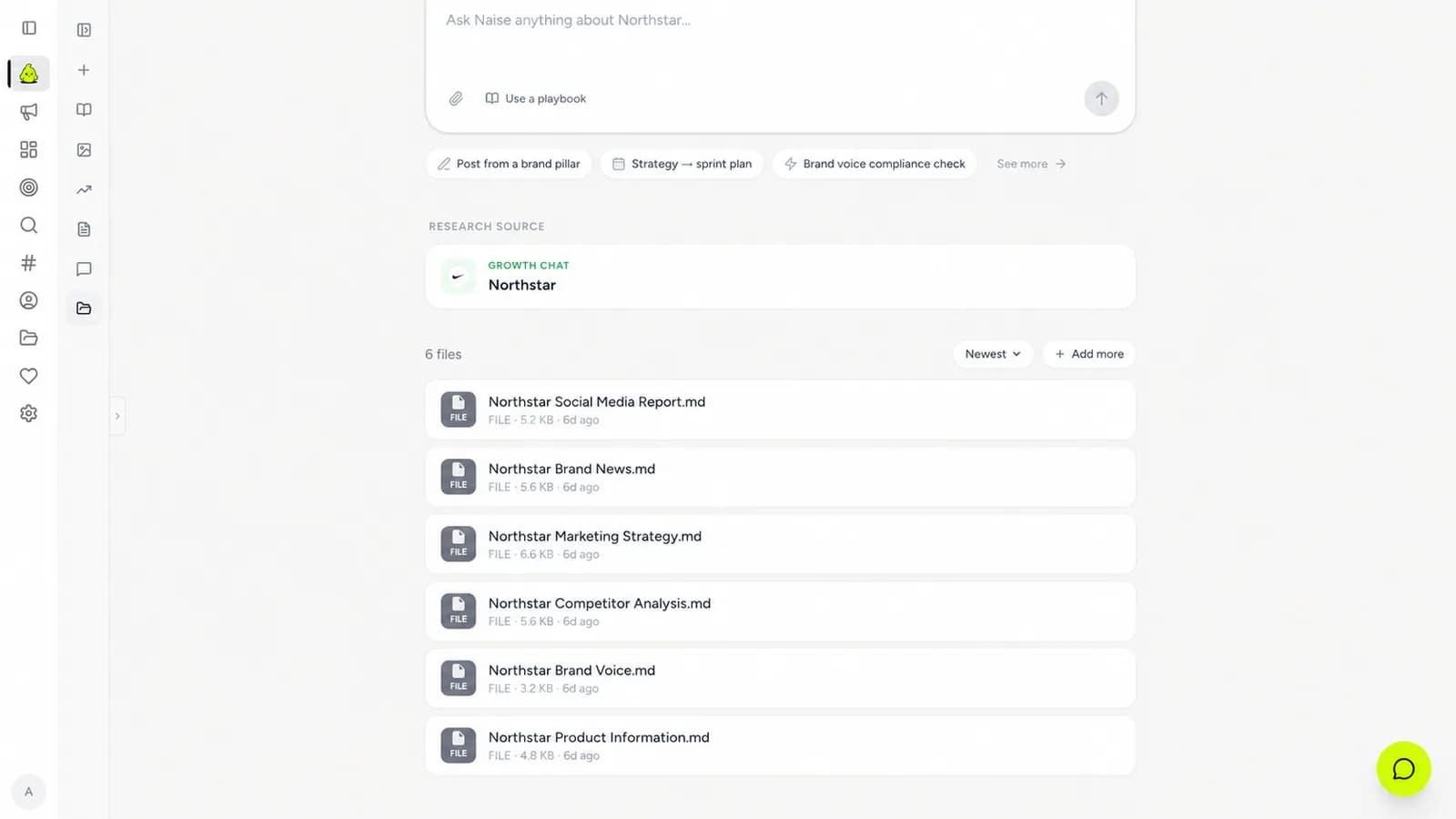
Establish Persistent Memory: Create a new workspace in Projects and upload your brand guidelines, past successful posts, and product PDFs. This acts as the brand's knowledge base.
Upload Context Once: You only need to do this step one time. Naise AI applies this specific context to all future tasks to ensure strict brand consistency.
Deploy an Agent via Naise Chat: Jump into the central command interface (Naise Chat) and select a pre-configured expert prompt from Playbooks.
Execute Without Bottlenecks: Tell the Social Media Agent, Influencer Marketing Agent, or Public Relation Agent to draft two weeks of sprint content. Because the Projects memory bank already knows your exact tone of voice and banned phrases, the output is client-ready on the first try, effectively bypassing the usual approval bottleneck.
Stop Waiting, Start Sprinting
Your team does not need more meetings. They need a system that protects their time and tools that actually do the work. By separating your massive campaigns from your daily tasks and strictly managing the approval loop, you will finally hit your deadlines. Pair that with persistent AI memory, and you will never miss a sprint goal again.
FAQs
What is the biggest difference between Scrum and Kanban in marketing?
Scrum uses fixed timeframes (usually two weeks) to complete a set amount of planned work, making it perfect for big campaign launches. Kanban is a continuous flow system with no fixed timeframes, ideal for managing reactive, daily tasks like social media and PR.
How do I handle emergency requests during a marketing sprint?
Do not derail the active sprint. Place the emergency request into your separate Kanban board for continuous flow, or swap it out for a task of equal weight in the current sprint to protect your team's capacity.
What is the best way to manage client approvals in an agile workflow?
Decouple approvals from the execution sprint. Deliver the V1 internally to close the sprint, then move the asset to an asynchronous approval track with strict 48-hour Service Level Agreements (SLAs) for the client.
How does AI improve agile project management?
AI tools like Naise AI remove the manual execution and revision bottlenecks. By using persistent memory features like Projects, the AI retains your exact brand voice, generating first-draft assets that require zero internal revisions.