Stop settling for vanilla ideas from your generative text tools. Mastering AI prompts for marketing campaign ideation requires hyper-specific personas, strict formatting rules, and real-world data inputs. We are breaking down the exact formulas you need to turn your tech stack into a world-class creative team. Plus, learn how to skip the manual typing entirely using automated marketing workflows.
The Secret to High-Converting AI Prompts
Treat your artificial intelligence like a brilliant but literal-minded intern. If you provide vague instructions, you get vague results.
You are probably wasting hours on manual, repetitive tasks because your generative outputs are falling flat. You type a quick request into your favorite chat interface and get a robotic, unusable response in return. This happens because most marketing managers treat these platforms like search engines instead of creative collaborators. You have to learn how to guide the machine.
Effective prompt engineering is not about using fancy words. It is about establishing strict parameters and giving the system exactly what it needs to succeed. To get better concepts out, you need to put better context in. This means moving past the basics and using structured formulas.
Prime the Persona for Unique Angles
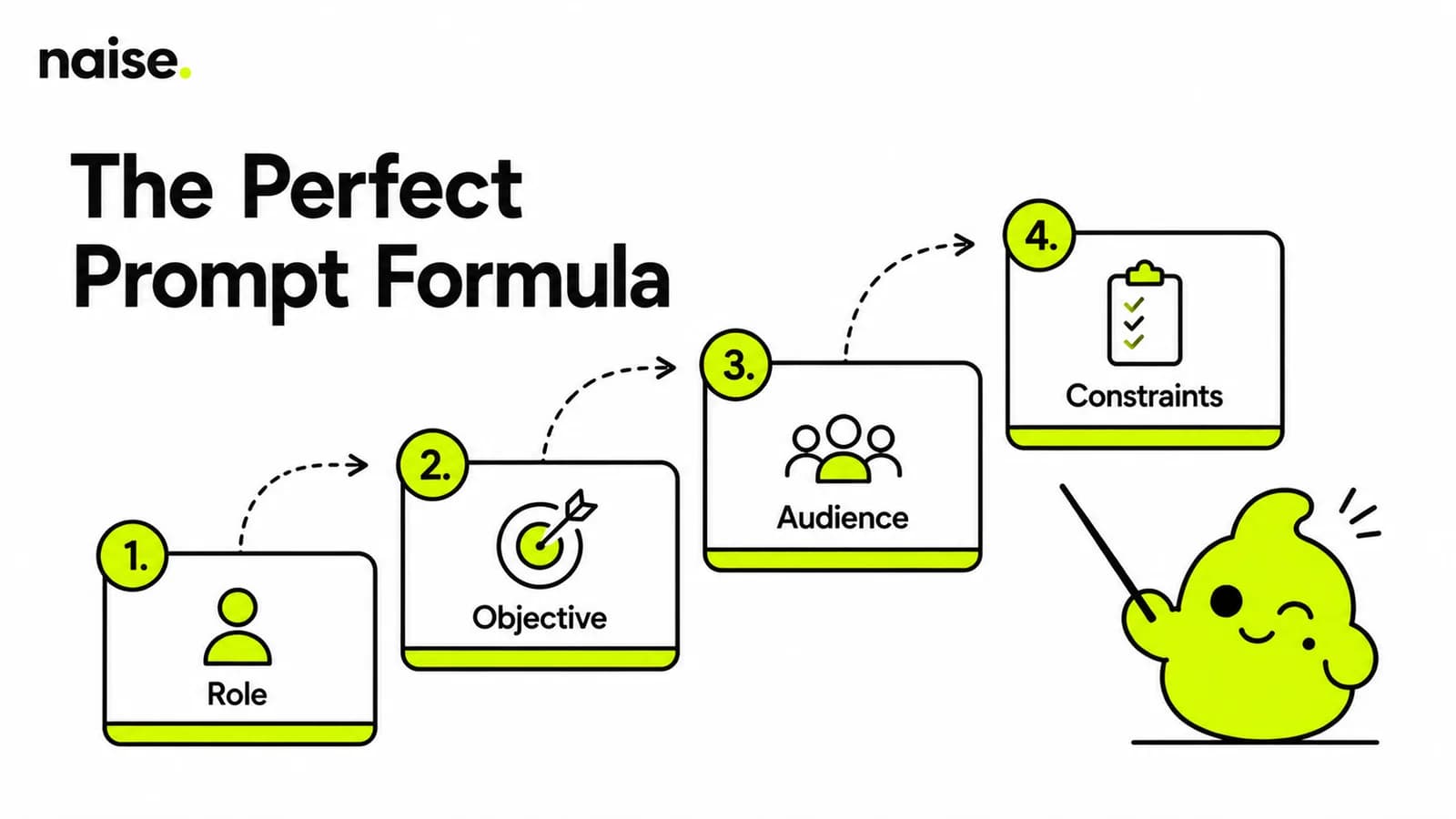
Always assign a highly specific, expert identity to prevent generic baseline outputs.
Never let the machine decide who it wants to be. If you leave the persona blank, it defaults to a polite, predictable assistant. You want an Award-Winning Creative Director or a Ruthless Direct Response Copywriter. Tell the tool exactly whose brain it should inhabit before you ask for ideas.
When you assign a persona, the vocabulary and tone instantly shift. A B2B SaaS Growth Hacker will suggest completely different tactics than a Gen-Z Social Media Manager. This simple tweak forces the tool to view your Marketing Strategy through a highly specialized lens.
Match the Tool to the Marketing Task
Stop treating all platforms as identical and use the right software for each phase of your workflow.
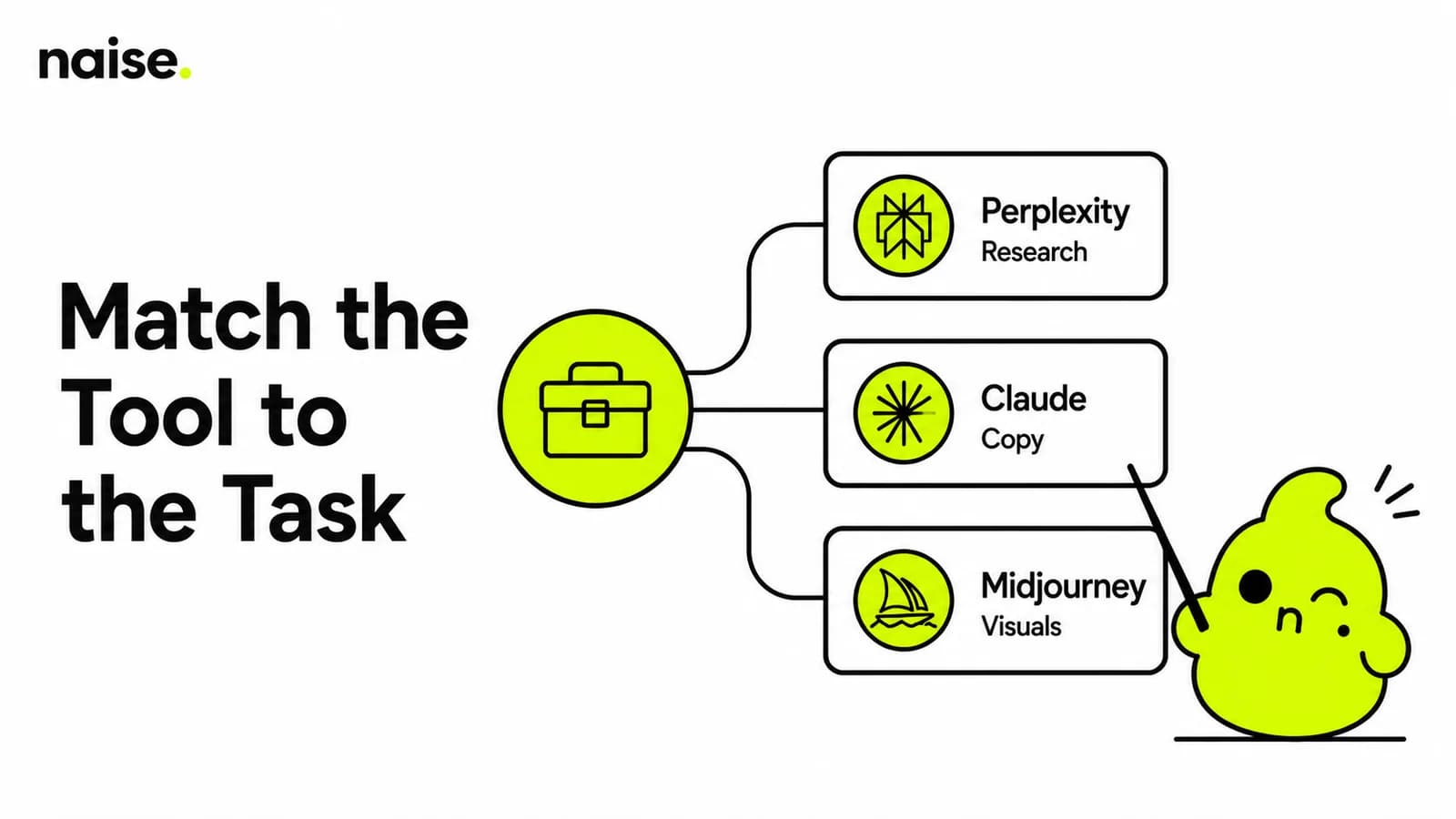
The biggest mistake you can make is trying to do everything in one tab. Different generative models have completely different strengths. You should use Perplexity for deep Market Research and sourcing real-time industry trends. It acts as an incredibly fast research assistant.
For nuanced Copywriting and maintaining a specific brand tone, Claude is generally your best bet. When it is time to build a visual storyboard or mood board, push your concepts into Midjourney. Building a proper tech stack means knowing which specialized platform to pull off the shelf.
Inject Raw Data to Ground the Output
Feed the system real-world source materials like customer reviews and competitor ads to keep ideas rooted in reality.
A massive problem with automated ideation is the hallucination of consumer pain points. Do not just rely on your high-level Brand Guidelines. You need to paste in the raw, unfiltered data. Grab a stack of one-star reviews from your competitor's product and drop them right into the chat.
Tell the tool to analyze those reviews and build a marketing campaign that directly answers those specific complaints. You can also upload sales call transcripts or user surveys. When you anchor the logic to actual customer voices, the resulting concepts become highly persuasive.
Campaigns that systematically use voice‑of‑customer research to shape messaging and creative report conversion rate increases of roughly 10–30% on average, with 50–200%+ lifts on specific high‑impact pages or offers when VoC drives full rewrites of headlines, value props, and CTAs; in one multi‑channel case, VoC‑informed campaigns delivered a 72% higher CTR and 182% more conversions.
Control the Output Format for Instant Action
Explicitly request that the ideas are formatted into industry-standard frameworks so they are immediately usable.
Ideas are useless if they are trapped in a messy block of text. You must tell the tool exactly how to present its findings. Ask it to organize the concepts into a formal Creative Brief or a structured Content Calendar table. This makes the data presentation-ready instantly.
By forcing a specific layout, you eliminate the need to manually copy and paste text into your own spreadsheets. Ask for columns dictating the hook, the visual concept, the platform, and the core message. You should be able to screenshot the output and send it directly to your creative team.
Deep Dive: 3 Copy-Paste Prompt Templates
Use these tested formulas to guarantee high-quality, actionable concepts every single time.
1. 30-Day Content Brainstorm
Use this template to overcome writer's block and generate a massive list of macro-themes and specific post ideas for the upcoming month.
The Prompt: "I need content ideas for next month. Our overarching goal is [monthly goal, e.g., brand awareness / lead gen]. Our primary audience is [audience]. Brainstorm a list of 10 distinct content themes, and provide 2 specific, actionable post ideas for each theme. Ensure a mix of educational, entertaining, and promotional content suited for [platforms]."
2. Competitor Content Audit
Use this template to analyze a competitor's recent posts to identify their strategy and find gaps for your brand to exploit.
The Prompt: "Here are [number] recent posts from our competitor, [competitor name]: [paste content/links]. Analyze their current content pillars, tone, and engagement tactics. Then, suggest [number] content ideas for our brand that exploit gaps in their strategy, keeping our core value of [our core value] in mind."
3. Messaging Pillars
Use this template to establish the core themes that will govern all your marketing communications.
The Prompt: "Our product features are [feature 1], [feature 2], and [feature 3]. Create 3 core 'Messaging Pillars' for our brand. For each pillar, provide a title, a brief description of the theme, and 2 examples of social media topics that would fall under this pillar."
The Naise Workflow: Skip the Prompting Entirely
Naise AI eliminates prompt fatigue by giving you pre-configured, expert strategies ready to deploy in seconds.
Even with the best templates, manual prompting takes time. You are still copy-pasting, refining, and repeating context again and again. Naise AI is an integrated marketing ecosystem that acts as a tireless extension of your team. We built a system that handles the heavy lifting so you can focus strictly on growth and strategy.
Here is how you execute world-class campaigns without typing a single prompt:
Set Up Projects: Upload your brand guidelines, past PDFs, and URLs into Projects. This persistent memory bank ensures the system always knows your exact brand voice.
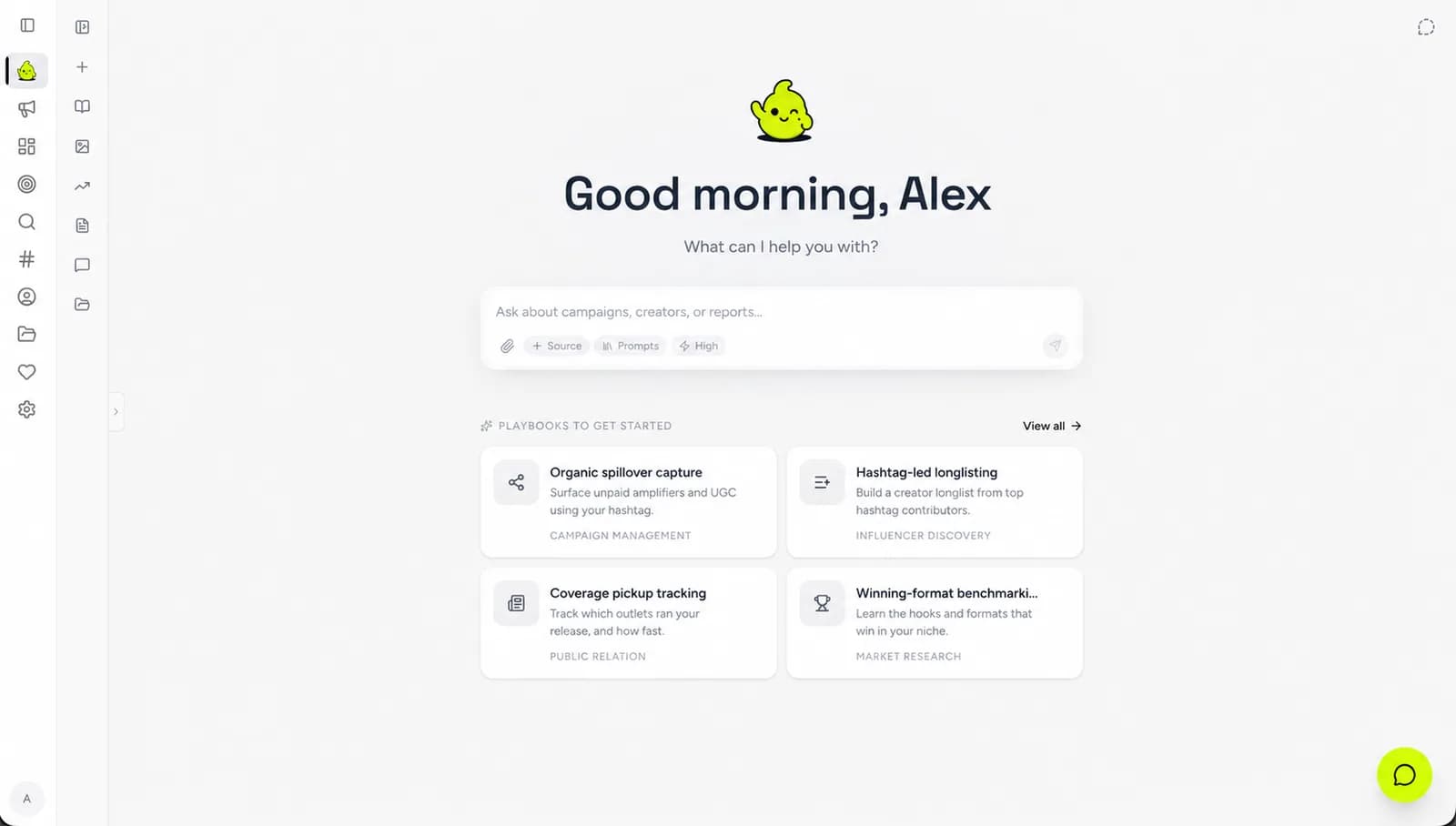
Select Your Strategy: Open The Dashboard and head into Naise Chat. Instead of starting from scratch, click on Playbooks.
Deploy the Playbook: Choose a pre-configured, agency-level prompt template (like "Organic Spillover Capture"). These are expert standardized outputs designed to solve blank page syndrome.
Let the Agents Execute: Fill in a couple of simple blanks, and let the autonomous Agents (SMM Agent, Influencer Agent, or PR Agent) execute the workload perfectly.
Clock Out on Time
You no longer have to stare at a blinking cursor hoping the machine guesses what you want. By using structured formulas and raw data, your AI Prompts for Marketing Campaign Ideation will yield massive results. But if you are ready to completely ditch the fragmented tech stack and reclaim your time, it is time to upgrade your workflow. Let the autonomous operators handle the grunt work.
FAQs
What is the biggest mistake marketers make with generative text?
They fail to provide strict constraints and persona instructions. Treating these platforms like basic search engines results in robotic, unusable copy that requires heavy manual editing.
How do I maintain my brand voice when using automation?
You must feed the tool your specific brand guidelines, banned words, and tone examples every single time. Alternatively, using a system with persistent memory ensures your voice is locked in permanently.
What is a marketing playbook?
A playbook is a pre-configured, expert-level template that standardizes campaign execution. It eliminates the need for manual prompt engineering by structuring the input and output automatically.